
Breaking the Pattern: 5 tips

Breaking the Pattern
Five small changes that cut how often your little one sees you on your phone.
You don't need more willpower or a full digital detox. You need a few changes that make checking your phone a little harder and a lot less automatic.
Put your phone in landline mode
This is the big one, and the first thing to try. Landline mode turns your phone back into something that mostly makes calls and sends texts. Everything else is silenced, so the phone stops asking for your attention all day. The people who need you can still reach you.
Show me how on iPhone
Swipe through the steps.
Open Settings, then tap Focus.

Tap the plus in the top corner, then choose Custom.

Name it Landline. Pick an icon and colour if you like.

Allow notifications only from the people you choose.

Set calls to Allowed People Only.

Allow app notifications from Phone and Messages only.

Turn it on from Control Center whenever you're with your little one.

Show me how on Android
Google Pixel
- Open Settings.
- Tap Digital Wellbeing & parental controls.
- Tap Focus mode.
- Select every app you want paused. Leave Phone and Messages unselected so calls and texts still come through.
- Tap Turn on now, or Set a schedule so it turns on by itself.
Samsung Galaxy
- Open Settings.
- Tap Modes and Routines.
- On the Modes tab, tap Add mode.
- Name it Landline and pick an icon.
- Under Stay focused, tap Restrict app usage.
- Allow only Phone and Messages, then tap Done.
- Turn the mode on when you're with your little one.
Menu names can vary a little by phone model and software version.
If a full setup feels like a lot, start smaller. Turn off every notification except calls and your calendar. That alone removes most of the buzzes that pull you back.
Charge your phone in another room
Out of sight really is out of mind here. When the phone is not in the room, the automatic reach has nothing to grab. A cheap alarm clock means the phone does not need to live in the bedroom overnight, and neither does it need to sit in the living room with you and your little one.
Pick a few phone use windows
Instead of checking whenever the urge hits, choose three or four set times, maybe after a feed, during a nap, and after bedtime. Your total screen time might end up similar, but your child sees it far less, because it is no longer scattered in small bursts across the whole day.
Switch your screen to greyscale
Greyscale removes the bright, colourful design that makes apps feel rewarding. A grey screen is boring to look at, so you put the phone down faster and pick it up less.
Show me how on iPhone
Swipe through the steps.
Open Settings, then tap Accessibility.

Tap Display & Text Size.

Scroll down and tap Color Filters.

Turn on Color Filters, then choose Grayscale.

Want a quick switch? Go back to Accessibility, scroll to the bottom and tap Accessibility Shortcut.

Tick Color Filters. Now a triple-click of the side button turns grey on and off.

Show me how on Android
Google Pixel
- Open Settings.
- Tap Accessibility, then Color and motion.
- Tap Color correction.
- Choose Grayscale.
- Turn on Use color correction.
Samsung Galaxy
- Open Settings.
- Tap Accessibility.
- Tap Visibility enhancements.
- Tap Color adjustment.
- Turn it on and choose Grayscale.
Menu names can vary a little by phone model and software version.
Give your phone a home on the shelf
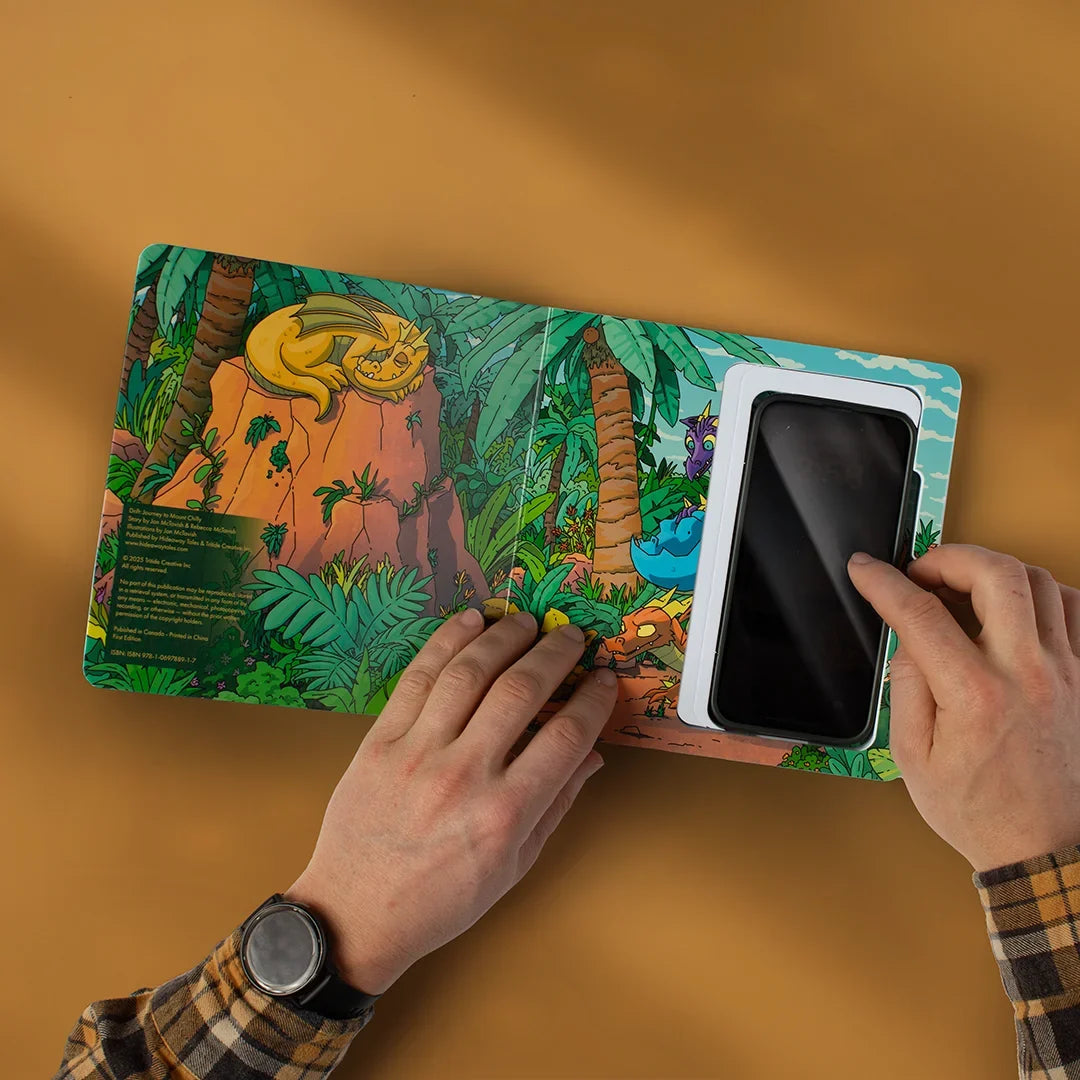
This one comes with a tool, the Hideaway Book. It is a real book with a hidden space inside, sized for your phone, so the phone lives on the shelf instead of in your pocket. Two things happen. You start to forget it is there, so the urge to check fades. And when you do go to get it, your little one sees a book coming off a shelf, not a phone coming out of a pocket.
What is the Hideaway Book?
Babies don't understand why you're on your phone. They understand what they see you do, again and again. So when the phone has to come out, what if it looked like reading instead?
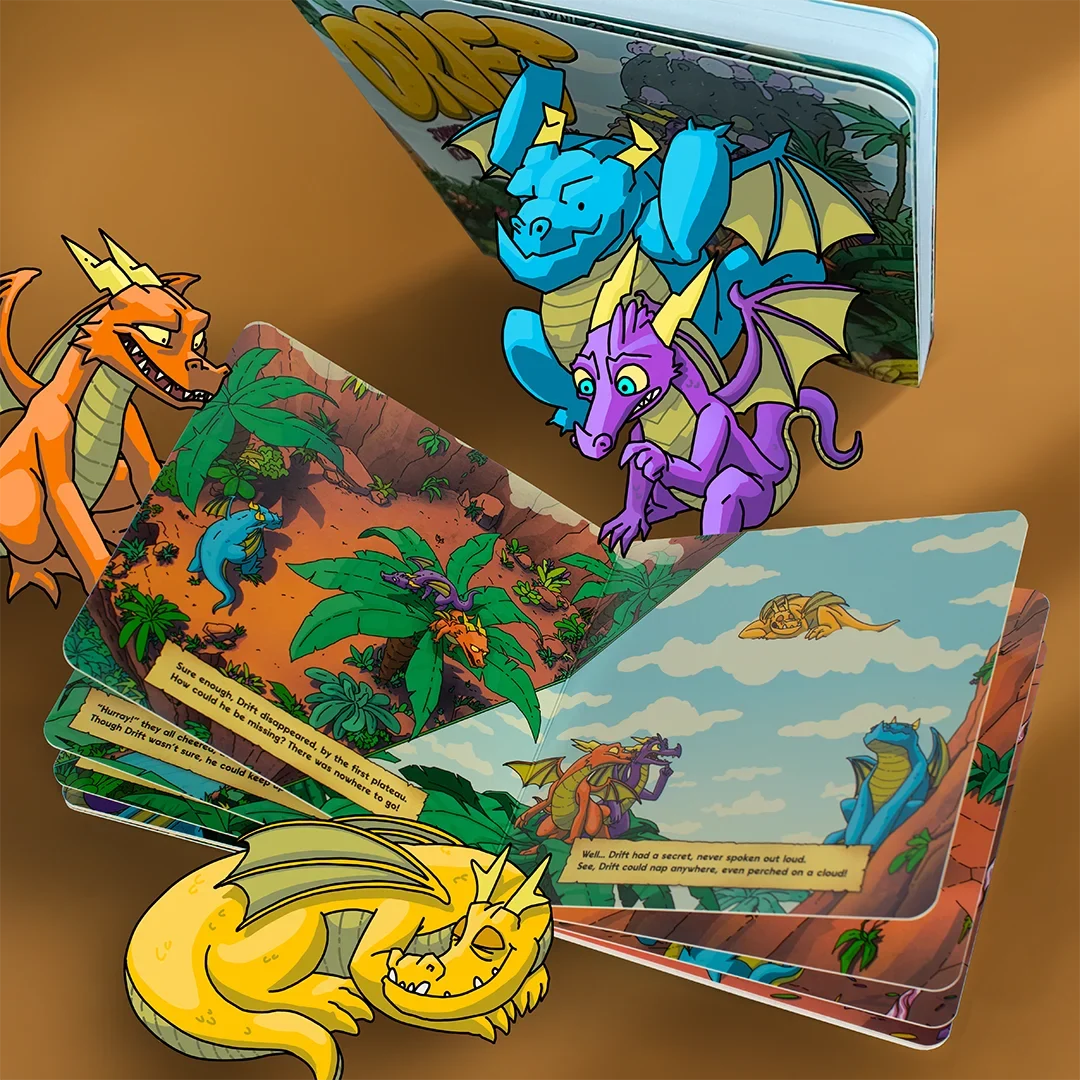
The Drift Hideaway Book Set is two books. A storybook for them, Drift: Journey to Mount Chilly, about a sleepy little dragon who keeps sneaking off for naps. And a book for you, with a hidden, foam-lined pocket for your phone. Text back, order the diapers, and your little one sees you with a book.

Drift Hideaway Book Set


Small changes, repeated daily
None of this is about being a perfect, phone-free parent. That is not the goal, and it is not realistic. It is about your child seeing a book come off the shelf a little more often than a phone come out of a pocket.
Shop now